How to stay human-centered when you can’t talk to users


Nothing beats hearing firsthand what users need, expect, and struggle with. Unfortunately, that’s not always possible — at least not as directly or as often as we’d like. Maybe there’s no budget. Maybe your users are hard to reach. Maybe it’s just tough convincing stakeholders.
But that doesn’t mean you’re out of options. With a little creativity and a lot of resourcefulness, you can still get the insights you need to make human-centered decisions.
I’ve rounded up my favorite tools and tactics for the job below. This article is based on my lightning talk at the ‘For the Public’ conference in Minnesota.
Dig for the easiest data
If you can’t talk to users directly, start by mining the information you already have or can easily get.
Feedback forms
You can set up a feedback form in minutes using free tools like Google Forms, Typeform or SurveyMonkey. When choosing your questions, think about what you’re trying to learn or what pain point you need to solve. Keep the format simple — one yes/no question with an optional comment box can go a long way.
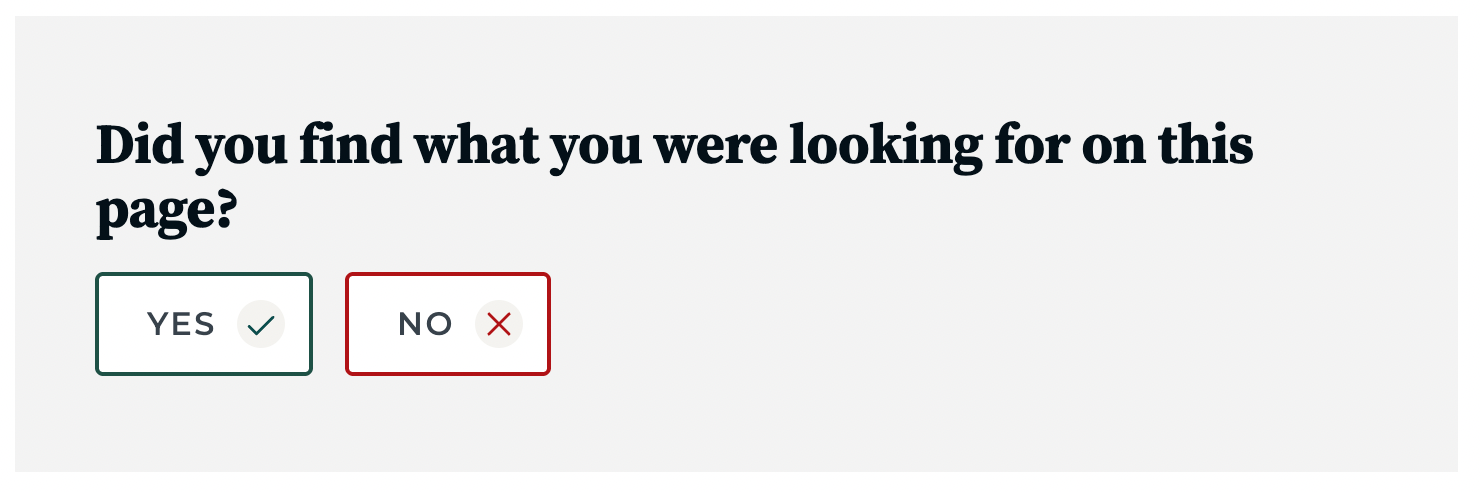
Consider collecting feedback during moments when people are already pausing — like signing into airport Wi-Fi or waiting between video game rounds. It’s a smart way to gather honest input without interrupting the experience.
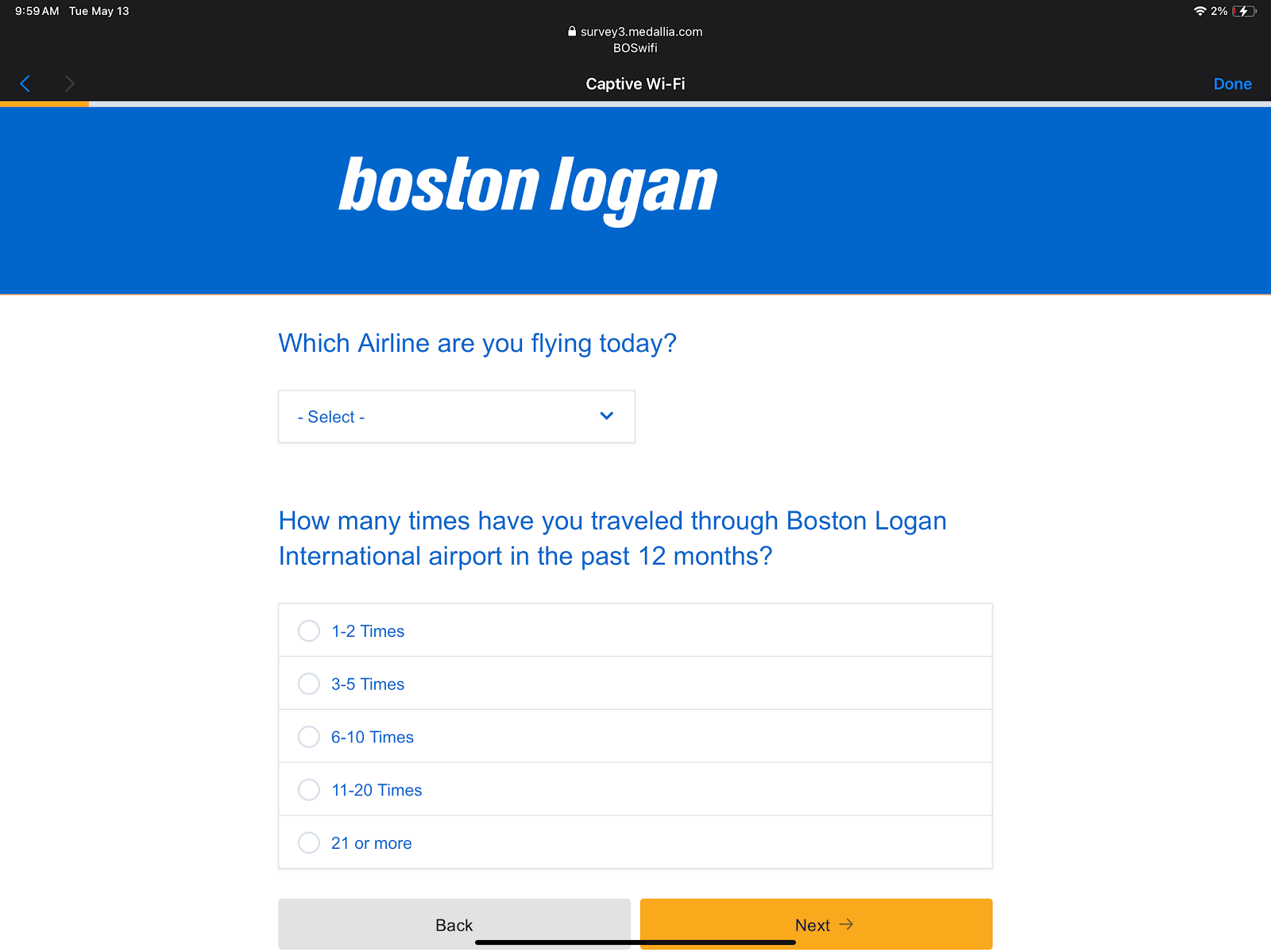
Once you have the data, analyze the results! Command-F is your friend — look for repeated issues or questions. And if spreadsheets aren’t your thing, ask someone on your team who loves them (there’s always someone).
Analytics and heatmaps
If your site has analytics set up — perhaps with a tool like Hotjar, FullStory or Google Analytics — take a look at people’s behavior on your site. Are they rage-clicking? Dropping off at a certain point? Heatmaps and session recordings can reveal where users get stuck.
In one project with a state agency, we saw a big cluster of rage clicks on a page that had already gotten lots of complaints. Heatmaps showed that everyone was clicking the same spot in frustration. We discovered that while the page was built for service providers, residents were landing there and trying to use it for something it wasn’t designed for.
Chatbots and help desks
If you’ve got a chatbot running, make sure you can access data about the most common queries or topics. If everyone’s searching for the same thing, it might mean your interface or instructions aren’t doing the job. Help desk staff can offer similar insights, too.
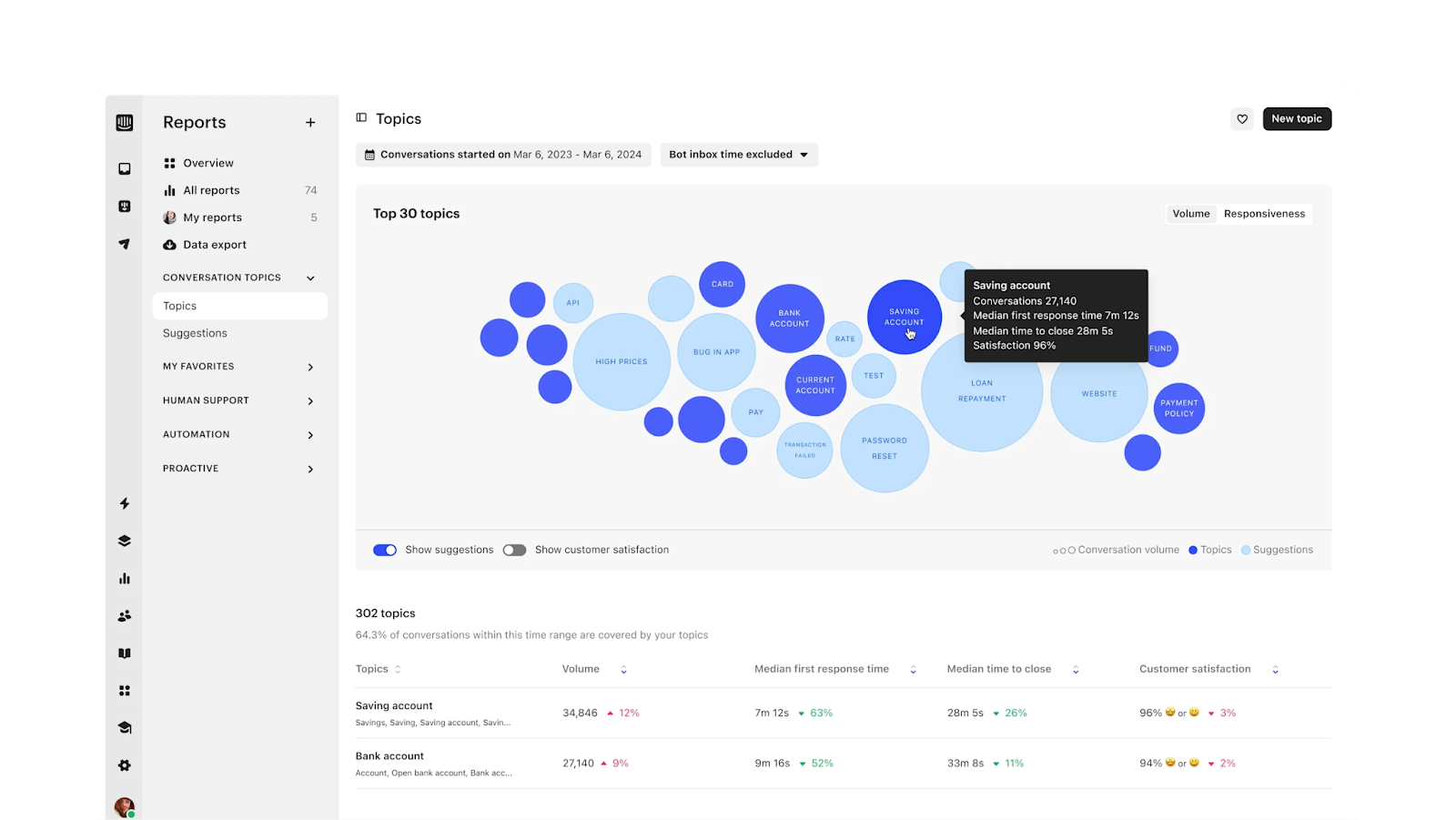
I really like this example from Intercom — a bubble chart showing the most frequent questions people asked through its AI-driven chatbot. The clusters helped highlight pain points to explore and prioritize.
Tap into secondhand sources
If you can’t talk to users directly, try learning from people they’ve already spoken to or from information they’ve posted publicly online.
Interview frontline staff
Talk to people like call center agents, help desk staff, social workers and librarians. They often have a good read on what’s working and what’s not — they hear user frustrations every day, even if they’re not capturing them formally.
In one project with a non-traditional, Native American-serving university, we found it tough to schedule time with students as many were working adults. So we spoke to staff and faculty. They were eager to be involved as they genuinely wanted to help students succeed. From those conversations, we uncovered key pain points that students later confirmed. Those early interviews helped shape a solid foundation for our design decisions.
Ask someone outside your team
It’s worth asking a friend, neighbor or even your mom to walk through your site or app. Even if they’re not your target audience, they can spot things that are confusing or unclear.
Explore public data and discussions
Tools like The People Say and data.gov are treasure troves for secondhand research and accessible design inspiration. At the time of writing, data.gov had 318,495 datasets available.
Want to hear more firsthand? Go where your users are. People might be talking about your product or service on platforms like Reddit, X (Twitter) and BlueSky. See what they’re saying — lurking is learning!
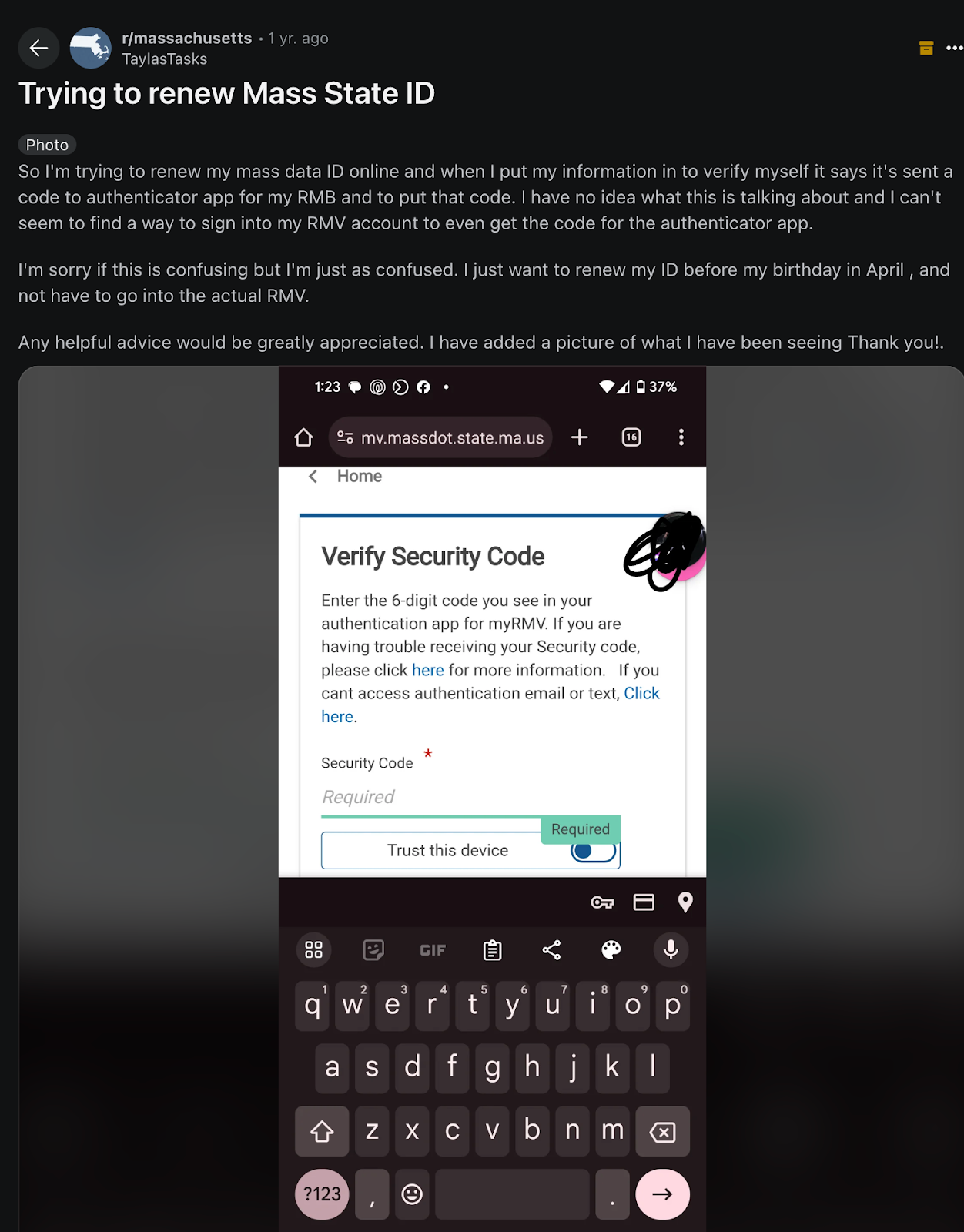
Take a look at the example of a Reddit thread below, where someone shares their struggles to renew their ID online. Others replied with similar experiences, suggesting it could be a solid lead.
In another example, a pregnant person asks how paid leave works. The service made sense to the people running it, but clearly wasn’t working for those trying to use it. These kinds of posts highlight where institutional knowledge is getting in the way, helping content designers make changes where they’re needed most.

Triangulate and test
Once you’ve gathered data, bring it together. A single Reddit comment isn’t enough on its own — but if chatbot logs, heatmaps and online anecdotes all point to the same issue, you’ve got a strong case.
Let’s say you run a hotel and your chatbot shows lots of people asking about checkout times. So you check your analytics and see rage clicks on the “hotel info” link. Finally, you ask your friend to try finding the info on your site — and they give up. That’s a clear sign to move your checkout info somewhere more prominent.
It can be helpful to map problems by how common and critical they are, or weigh them by impact and effort to guide your next steps.
Bonus tools
You don’t have to start from scratch. It’s so much easier to build human-centered experiences when others have done some of the work already. Some go-to resources include design systems and UI kits like:
- U.S. Web Design System (USWDS)
- GC Design System (Canada)
- Gov.uk Design System
- Microsoft Inclusive Design
- Figma Community
Also, don’t forget desk research. A quick search of your feature or use case can uncover design patterns, pain points and ideas that have already been tested in the wild.
The final word? Nothing beats talking to real users — but existing data and secondhand sources come pretty close. They can give you the insight you need to design with empathy, clarity and intention.